
Component settings
Configure the permission mode, superuser groups, visibility controls and username behaviour.
Accessing component settings
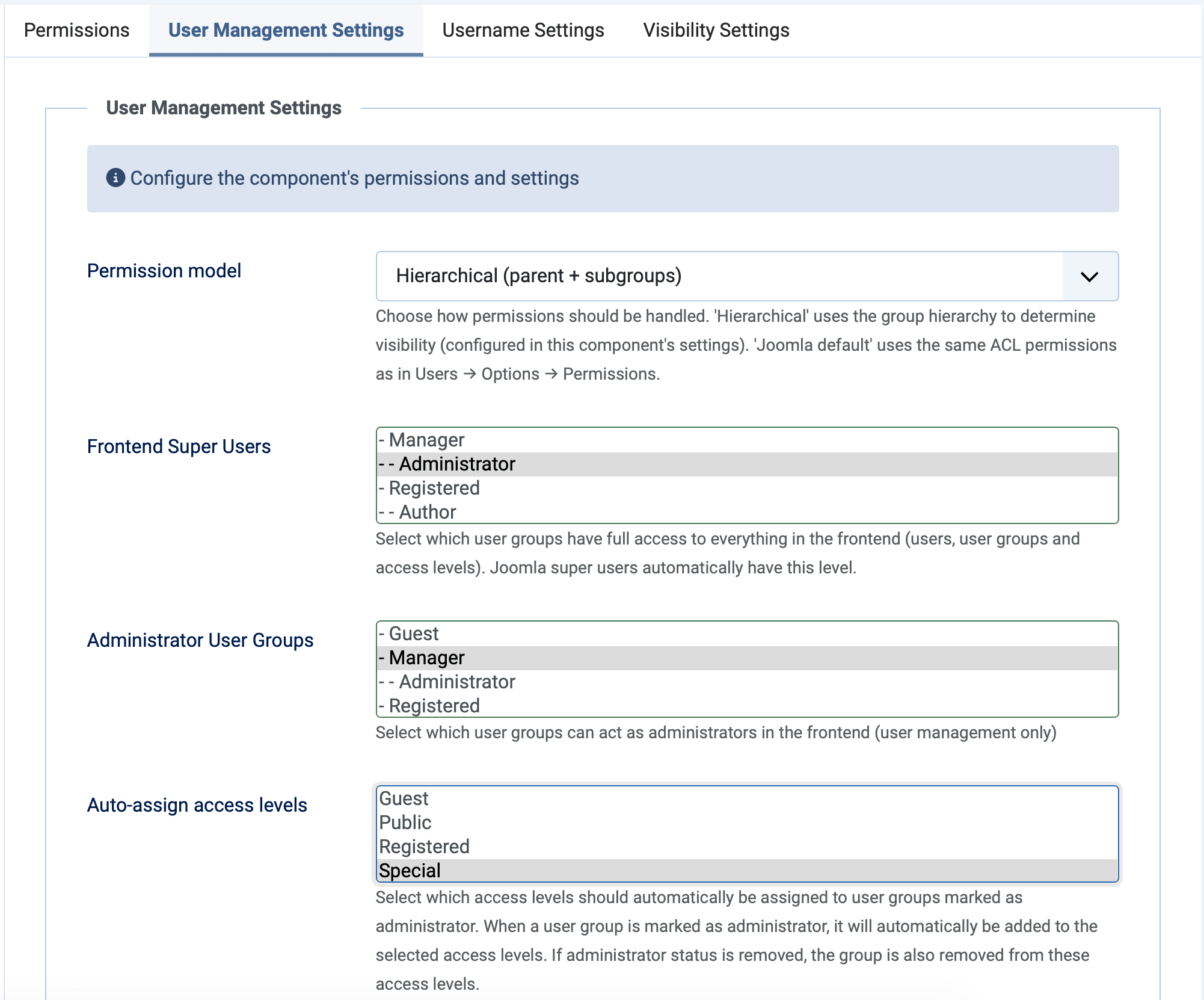
Settings are only available in the Joomla backend. Go to Components → Frontend UserManager, then click the Options button in the toolbar. The settings are organised into two tabs: Permissions and Username Settings.
Permissions
Permissions
The most important setting — it determines how Frontend UserManager controls who can do what. See Permissions & Access for a detailed comparison.
| Mode | How it works | Best for |
|---|---|---|
| Hierarchical (default) | 3-layer system based on user group hierarchy. Frontend Superusers have full access, Admin groups can manage users within their hierarchy, others have no management access. | Organisations with departments/divisions where each department manages its own users. |
| Joomla standard | Permissions are based on Joomla's built-in ACL for com_users. Uses core.manage, core.create, core.edit and core.delete permissions. |
Flat structures or when you want consistent permissions between backend and frontend. |
User group settings
| Setting | Description |
|---|---|
| Frontend Superusers | User groups with full access to all features: users, user groups and access levels. Works in both permission modes. Multi-select. |
| Admin User Groups | User groups that can manage users within their part of the hierarchy. Only used in hierarchical mode. Multi-select. |
| Admin Auto View Levels | Access levels that are automatically assigned to admin user groups. This ensures admins can see content restricted to specific access levels. Multi-select from existing view levels. |
Frontend Superusers have unrestricted access — they can manage all users, all user groups and all access levels regardless of hierarchy. Admin groups can only manage users and groups within their own branch of the group tree. Both work in hierarchical mode; only Frontend Superusers are relevant in Joomla standard mode.
Visibility controls
These settings let you hide specific user groups and access levels from the frontend interface. Hidden items still work in Joomla — they are just not visible to frontend administrators.
| Setting | Effect |
|---|---|
| Hidden from lists | User groups that are hidden from the user group list view but still selectable as a parent group when creating or editing groups. Useful for system-level groups you do not want regular admins to see. |
| Hidden completely | User groups that are completely invisible in the frontend. They do not appear in lists, dropdowns or anywhere else. Useful for internal system groups that should never be managed from the frontend. |
| Hidden view levels | Access levels that are hidden from the frontend access level list. Useful for Joomla system access levels (e.g. "Special", "Super Users") that should not be editable from the frontend. |
Consider hiding Joomla's built-in system groups like "Public", "Guest", "Manager", "Administrator" and "Super Users" since these should typically not be managed from the frontend. The "Super Users" group is always hidden automatically for security.
Username settings
| Setting | Default | Description |
|---|---|---|
| Username is email | No | When enabled, the email address is automatically used as the username. The username field is hidden from the create/edit form, and the username column is hidden from the user list. |
How username-to-email sync works
When Username is email is enabled:
- The username field is hidden in the Frontend UserManager create/edit form.
- When a user is saved, the username is automatically set to the email address.
- The username column is hidden from the user list.
- The included plugin (
plg_user_userfrontendsyncmail) also hides the username field from Joomla's own profile and registration forms, and syncs the username whenever a user is saved through Joomla's backend.
If you enable this setting on a site with existing users, their usernames are not changed retroactively. The synchronisation only happens when a user is saved (created or edited). Existing users keep their current username until their profile is next saved.
